 .AI
.AIHosted forms
Host form pages for an APIANT automation: start a run on each submission or pause a run until someone fills it in.
The Forms app serves form pages from APIANT, with no external form service. A form is a list of fields that Claude or the assistant writes for you; the page is rendered by the platform and every submission is validated on the server before an automation sees it.
Two ways to use a form
| Shape | Operations | URL | Use it for |
|---|---|---|---|
| Form trigger | Form submitted (instant) trigger | One stable URL. Every submission starts a new run. | Intake forms, surveys, contact pages |
| Form sent during a run | Create form, then Await form submission or Await form submission with timeout | One URL per run. The run pauses until the form is submitted. | Sign-off with details, collecting a signature, asking a person for missing data |
Describe what you want in plain English, for example: "When someone submits a project intake form with their email, department and a PDF brief, create a task in Asana." Claude builds the form fields, the trigger and the steps, and gives you the form URL when it commits the automation.
Form trigger
The form trigger URL stays the same across submissions. Each valid submission starts a run whose trigger data holds the submitted values, keyed by field name. After submitting, the visitor sees a waiting page. If the automation shows another form later in the run, the waiting page moves the visitor on to it; otherwise it shows a confirmation.
The form page only renders while the automation is on. Visitors to a form whose automation is off see the message "This form's automation is not turned on."
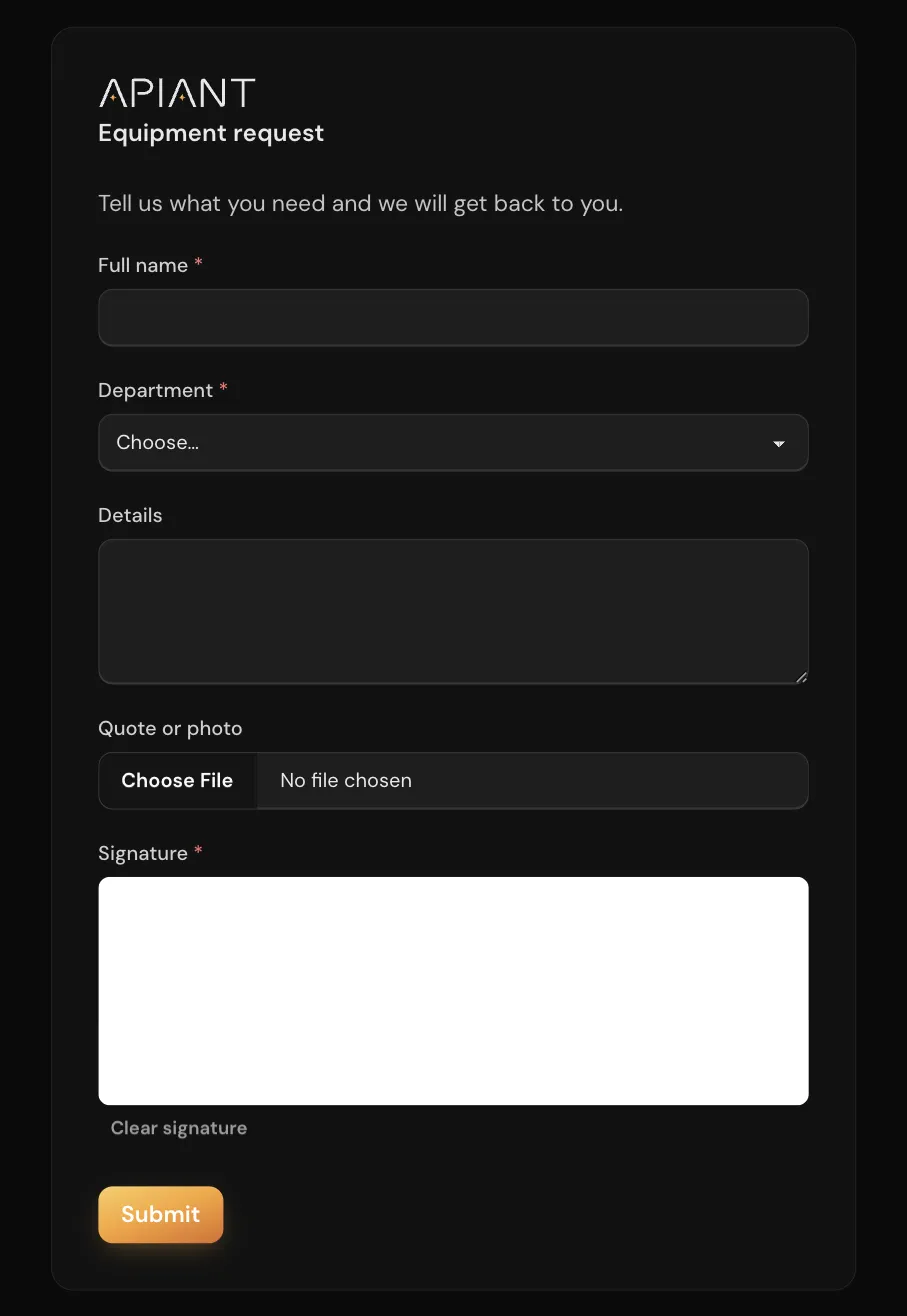
A hosted form shows its title, each field with its help text, and a Submit button.
Form sent during a run
Create form returns a Form URL. A step you add sends that URL to the person (by email, chat or any other app), and Await form submission pauses the run until they submit.
When the run resumes, the await step outputs:
| Output | Value |
|---|---|
Submission | The submitted values, keyed by field name |
Submitted | Set when the person submitted the form |
Halted | Set when the person pressed the optional halt button |
Timed out | Set when the deadline on Await form submission with timeout passed |
All four outputs are present on every resume, so a condition step can branch on them. On timeout, Submission is empty.
The Form URL from Create form is a session page. It shows whatever the run is presenting: the pending form, a waiting message while the run works, the next form, and finally the completion message. To ask one person for several forms in a row, chain Create form and Await form submission pairs in one automation and send only the first URL.
While the run works between forms, the page shows the waiting message you set and updates on its own.
Form options
These options apply to Create form. Ask Claude for any of them by name.
| Option | Effect |
|---|---|
| Form title | Heading shown above the fields |
| Waiting message | Text shown while the run processes after a submission. Update form waiting message changes it mid-run. |
| Halt button text | Adds a second button that resumes the run with Halted set and no values |
| Submit button text | Caption of the submit button. Blank shows "Submit". |
| Submit action | What the page does after the submission: an http(s):// URL redirects the visitor; plain text becomes the confirmation message shown when the run finishes; blank shows the default confirmation |
| Auto submit | Renders nothing and submits immediately, for forms whose values are already filled in |
| Account required | Sends a signed-out visitor to an APIANT sign-in page before showing the form. The run receives the signed-in person's ID and name. Accepts true or false only. |
| Theme options | Controls color, Controls color dark, Highlight color (6-digit hex), Corner radius (px), Background image and Background image style (stretched, tiled or unstretched) |
Field types
| Type | Renders | Value in the run |
|---|---|---|
text, multiline | Text input, text area. Optional pattern (regular expression). | Text |
select, radio | Dropdown, radio group. Requires options. | Text |
multiselect | Checkbox list. Requires options. | List of text values |
date, time, datetime | Browser date and time pickers | YYYY-MM-DD, HH:MM, YYYY-MM-DDTHH:MM |
checkbox, switch | Checkbox, toggle | True or false |
number, slider | Number input, slider (min, max, step; slider defaults to 0 to 100) | Number |
rating_stars | Star rating (max_stars, default 5) | Whole number |
rating_scale | Numbered buttons (min, max, default 1 to 10) | Whole number |
color | Color picker | #rrggbb |
country | Country dropdown | Text |
signature | Draw-to-sign pad | PNG image as a data URL |
file | File upload (accept extension list, max_size_bytes, default 10 MB) | Public URL of the uploaded file |
captcha_math | "What is A + B?" check | Validated only, not passed to the run |
Display-only elements render but never reach the run: text_block, html (scripts and iframes are removed), image, divider, spacer, download_link and copy_button.
Every field has a name (the key in the submitted data), and can have a label, required and helptext. Field names must be unique, and a form needs at least one input field. The page runs no custom JavaScript, and dropdown options are fixed in the form definition.
Empty optional fields still arrive in the run: as empty text, null for number, slider, rating_stars and rating_scale, false for checkboxes and switches, and an empty list for multiselect.
Limits and security
- Form trigger submissions count against your plan's monthly form submission limit, not the instant trigger limit. Over the limit, the form page shows a limit message instead of the form. See Plans, usage and billing.
- Uploaded files are stored in APIANT's temporary file store and removed on a schedule. Copy a file to another app in the same run if you need to keep it.
- A form trigger URL is public: treat it like a page on your website. A form URL sent during a run works like a password for that run.
captcha_mathdeters bots but does not identify the visitor; use Account required for that. - A run cannot pause for a form inside a parallel branch, inside an automation called and waited on by another automation, or in a run started by a polling or collector trigger. Use a webhook or manual trigger for automations that send forms.
Troubleshooting
| Symptom | Cause and fix |
|---|---|
| The form page says the form's automation is not turned on | The automation is off. Ask Claude to turn it on. |
| A person lost the form link for a paused run | Ask Claude for the pending form link for that run. The link returned resumes that one form only; for a run that shows several forms in a row, keep the first Form URL when the automation is built. |
| A submission shows an error and the run never starts | The value failed validation (a required field is empty, a pattern did not match, or a file is too large or the wrong type). The page shows the message; nothing is recorded. |
| The form shows a limit message | The account reached its monthly form submission limit. |
| A step reads an empty value | The step references a field name that does not match the form. Field names are case-sensitive and may contain spaces. |